
Have you ever planned to work for an hour but ended up scrolling through social media, checking emails, or watching YouTube instead? If so, you’re not alone. Digital distractions, constant notifications, and cluttered workspaces make it difficult to stay focused, whether you’re working from home, studying, or managing a business.
A distraction-free workspace is more than a clean desk. It combines an organized physical setup, a clutter-free digital environment, and smart productivity habits that help you concentrate on what matters most. By reducing interruptions, you can complete tasks faster, improve work quality, and experience less stress throughout the day.
In this guide, you’ll learn practical strategies to create a distraction-free workspace, eliminate common distractions, and build lasting focus habits. You’ll also discover practical ways to reduce digital distractions and build lasting focus habits, making it easier to stay productive without relying on willpower alone.
Did You Know? Research from the American Psychological Association shows that frequent interruptions and multitasking can reduce productivity, increase stress, and make it harder to complete cognitively demanding work. Even small distractions can take several minutes of refocusing before you regain your previous level of concentration.
Why a Distraction-Free Workspace Matters
A distraction-free workspace helps you focus on one task without constant interruptions. Every notification, email, or social media check breaks your concentration, making work slower and more mentally exhausting.
By reducing distractions, you can:
- Improve focus and concentration
- Complete tasks faster
- Produce higher-quality work
- Reduce stress and mental fatigue
- Manage your time more effectively
- Boost creativity and productivity
A well-organized workspace, both physical and digital, creates the right environment for deep work, helping you stay focused and achieve more in less time.
What Is a Distraction-Free Workspace?
A distraction-free workspace is an environment intentionally designed to reduce interruptions and help you focus on your most important tasks. It includes both your physical surroundings and your digital environment.
Many people assume that a distraction-free workspace simply means having a clean desk. While organization is important, true focus comes from addressing every source of distraction.
A productive workspace includes:
- A clean and organized desk
- Comfortable furniture
- Proper lighting
- Minimal background noise
- Organized files and documents
- Limited notifications
- Fewer unnecessary browser tabs
- Clear daily priorities
- Tools that prevent digital distractions
In short, it’s a workspace that helps your brain stay engaged instead of constantly reacting to interruptions.
Why We Get Distracted So Easily
If you struggle to stay focused, it doesn’t mean you’re lazy or lack discipline. The digital world is designed to compete for your attention.
Every notification, autoplay video, recommended post, or endless social media feed is built to encourage you to keep scrolling. Over time, these constant interruptions train your brain to seek quick rewards instead of sustained focus.
Here are some of the most common reasons people lose concentration:
1. Information Overload
Most professionals consume more information in a single day than previous generations encountered in weeks. Emails, chat messages, meetings, articles, videos, and notifications all compete for your attention, making it difficult to focus on one task.
Example
You’re writing a report when:
- A Slack notification appears.
- You check your inbox.
- A YouTube recommendation catches your eye.
- Someone messages you on WhatsApp.
Five minutes later, you’ve forgotten what you were writing.
2. Constant Notifications
Notifications create a sense of urgency, even when the information isn’t important.
Common distractions include:
- Email alerts
- Social media notifications
- Calendar reminders
- Shopping promotions
- Messaging apps
- Browser notifications
- News alerts
Each one interrupts your workflow and breaks your concentration.
3. Too Many Browser Tabs
Opening dozens of tabs may seem productive, but it often creates mental clutter.
Instead of helping you work faster, too many tabs:
- Make it harder to find information
- Encourage task switching
- Increase decision fatigue
- Slow down your computer
- Create visual distractions
A focused browser is just as important as a clean desk.
4. Social Media Temptation
One quick visit to Instagram or X can easily turn into 20 minutes of scrolling.
Most social platforms use algorithms designed to keep users engaged for as long as possible through:
- Endless feeds
- Personalized recommendations
- Autoplay videos
- Suggested content
- Push notifications
Without clear boundaries, these platforms can consume hours of productive time every week.
5. Physical Clutter
Your environment influences how you think.
A cluttered workspace filled with papers, cables, unused gadgets, and miscellaneous items constantly competes for your attention.
An organized desk creates a calmer mental state and makes it easier to focus on your work.
Signs Your Workspace Is Hurting Your Productivity
You may already have a distraction-filled workspace without realizing it.
Here are some warning signs:
- You check your phone every few minutes.
- You keep more than 20 browser tabs open.
- Your desk is covered with unnecessary items.
- You constantly switch between tasks.
- Notifications interrupt your work throughout the day.
- You struggle to finish simple tasks.
- You feel busy but accomplish very little.
- You often work late because tasks take longer than expected.
If several of these sound familiar, it’s time to redesign both your physical and digital workspace.
The Two Types of Workplace Distractions
Creating a distraction-free workspace starts with identifying what’s stealing your attention. Most workplace distractions fall into two categories: physical distractions and digital distractions. Addressing both is essential for improving focus and productivity.
Physical Distractions
Physical distractions come from your surroundings and interrupt your ability to concentrate. While some are unavoidable, many can be reduced with a well-organized workspace.
Common physical distractions include:
- Cluttered or messy desk
- Poor lighting
- Background conversations
- Television or household noise
- Frequent interruptions from family or coworkers
- Uncomfortable chair or desk setup
- Loud work environment
A clean, comfortable, and organized workspace helps you stay focused and reduces unnecessary interruptions.
Digital Distractions
Digital distractions are often the biggest productivity killers because they’re only a click away. Notifications, social media, and endless browser tabs can quickly pull your attention away from important work.
Common digital distractions include:
- Social media platforms
- YouTube and streaming websites
- News and entertainment sites
- Online shopping
- Gaming websites
- Constant email checking
- Messaging apps
- Browser notifications
- Too many open browser tabs
Unlike physical distractions, digital distractions are easier to control. Using focus techniques and website blockers can help you reduce digital distractions and maintain uninterrupted focus throughout your workday.
The Cost of Constant Distractions
Constant distractions do more than waste a few minutes they reduce your productivity throughout the day. Every notification, message, or social media check breaks your focus, making it harder to get back on track. Over time, these interruptions lead to lower-quality work, increased stress, and slower task completion.
The good news is that most distractions are preventable. By organizing your workspace, building better work habits and limiting access to distracting websites, you can stay focused and get more done with less effort.
Quick Tip: If you often lose focus after opening social media “for just a minute,” consider blocking distracting websites during work hours instead of relying on self-control alone.
Step-by-Step Guide to Creating a Distraction-Free Workspace
A distraction-free workspace isn’t created by simply cleaning your desk or turning off a few notifications. It’s about building an environment that helps you focus naturally, reduces unnecessary interruptions, and supports deep work every day. Whether you work from home, study for exams, or spend long hours in an office, these practical steps will help you create a workspace that keeps your attention where it belongs.
1. Keep Your Desk Clutter-Free
A messy desk creates unnecessary distractions. Keep only the items you use daily, such as your laptop, notebook, and water bottle. Store everything else away so your workspace stays clean and your mind stays focused.
2. Organize Your Digital Workspace
Your computer should be as organized as your desk. Close unused browser tabs, organize files into folders, and remove unnecessary apps or extensions. A clean digital workspace makes it easier to focus on the task at hand.
3. Block Online Distractions
Social media and entertainment websites can quickly break your concentration. Instead of relying on willpower, use BlockerPlus to block distracting websites during work or study sessions. This helps you stay focused without constant temptation.
4. Turn Off Notifications
Every notification interrupts your workflow. Disable alerts from social media, shopping apps, and unnecessary emails, and keep only important work notifications enabled. Fewer interruptions mean longer periods of focused work.
5. Plan Your Workday
Start your day with a clear plan instead of immediately checking emails or messages. Write down your top three priorities and focus on completing them first. This simple habit helps you stay organized, avoid distractions, and make steady progress on the work that matters most.
6. Take Smart Breaks
Working for hours without a break can reduce your focus and energy. Instead, take short, regular breaks to recharge your mind and maintain productivity.
One of the easiest ways to do this is the Pomodoro Technique. Work for 25 minutes, take a 5-minute break, and repeat the cycle. After four sessions, take a longer break of 20–30 minutes. This simple method helps prevent burnout, improves concentration, and keeps you productive throughout the day.
Daily Distraction-Free Workspace Checklist
Use this checklist before starting work each day:
Physical Workspace
- Desk is clean
- Water bottle nearby
- Comfortable chair adjusted
- Proper lighting
- Phone on silent or out of reach
- Notebook ready
Digital Workspace
- Desktop organized
- Only required browser tabs open
- Social media blocked
- Notifications disabled
- Email closed during focus sessions
- Task list prepared
Mindset Checklist
- Top three priorities identified
- Time blocks planned
- Focus timer ready
- Breaks scheduled
- Clear goal for the next work session
Completing this checklist takes less than five minutes but can save hours of lost productivity.
Common Mistakes That Destroy Focus
Small habits can quietly destroy your focus. Watch out for these common mistakes:
Avoid:
- Multitasking
- Keeping social media open “just in case”
- Checking email every few minutes
- Working without priorities
- Ignoring breaks
- Constantly switching tasks
- Leaving notifications enabled
- Keeping dozens of browser tabs open
- Using willpower instead of systems
Replacing these habits with intentional routines creates a workspace where focus becomes easier and more sustainable.
Best Productivity Techniques That Actually Work
Different tasks require different approaches. Experiment with these techniques to discover what works best for you.
Time Blocking
Reserve specific blocks of time for focused work, meetings, emails, and breaks. This creates structure and reduces decision fatigue.
The 2-Minute Rule
If a task takes less than two minutes, complete it immediately instead of adding it to your to-do list.
Single-Tasking
Instead of juggling multiple tasks, dedicate your attention to one activity until it’s complete. This improves both speed and quality.
Batch Similar Tasks
Group similar activities together, such as responding to emails, making phone calls, or reviewing documents. This minimizes context switching.
Eat the Frog Method
Start your day with the most difficult or important task before checking emails or social media. Completing your biggest priority first builds momentum and reduces procrastination throughout the day.
Deep Work Sessions
Schedule 60–90 minute periods where you eliminate all distractions and focus solely on one meaningful task. During these sessions, use BlockerPlus to block websites that commonly interrupt your concentration.
Work From Home vs. Office: How to Stay Focused
Your workspace challenges may differ depending on where you work.
| Work From Home | Office |
| Household distractions | Conversations with coworkers |
| Family interruptions | Frequent meetings |
| Household chores | Office noise |
| Flexible schedule | Scheduled interruptions |
| Personal devices nearby | Open office layouts |
Tips for Working From Home
- Set clear working hours.
- Create a dedicated workspace.
- Let family members know your focus times.
- Avoid working from your bed or couch.
- Block distracting websites during work hours.
Tips for Office Workers
- Wear headphones when focusing.
- Reserve meeting rooms for deep work if available.
- Turn off unnecessary chat notifications.
- Schedule uninterrupted focus blocks on your calendar.
No matter where you work, the principles remain the same: reduce interruptions, organize your environment, and protect your attention.
Recommended Tools for a Distraction-Free Workspace
The right tools can simplify your workflow and help you maintain focus.
| Tool | Best For |
| BlockerPlus | Blocking distracting websites |
| Google Calendar | Time blocking and scheduling |
| Todoist | Task management |
| Notion | Notes and project planning |
| Google Keep | Quick notes and reminders |
| Forest | Focus timer |
| RescueTime | Productivity tracking |
| Google Drive | File organization |
These tools solve different productivity challenges. While task management apps help you stay organized, website blockers reduce digital distractions, allowing you to maintain longer periods of focused work.
How BlockerPlus Helps You Build Better Focus Habits
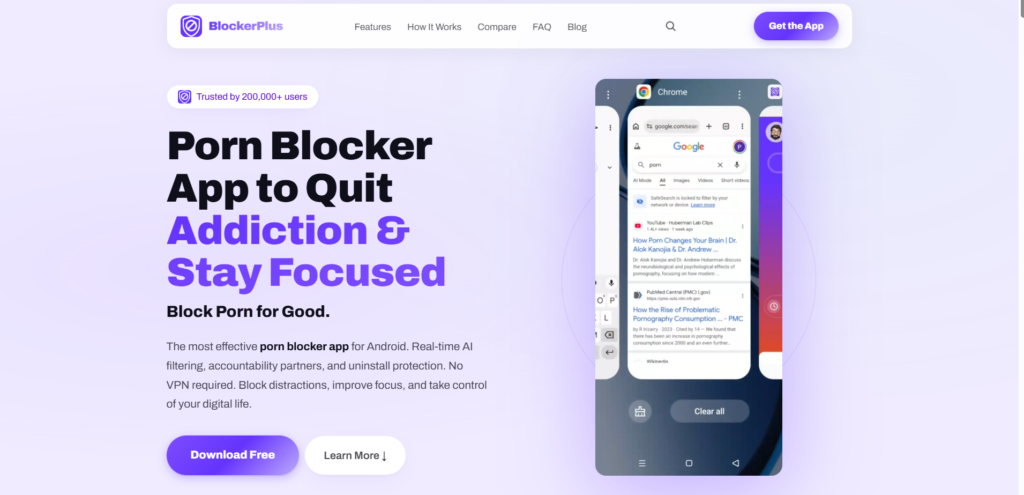
Digital distractions can quickly break your concentration and reduce productivity. BlockerPlus helps you stay focused by blocking distracting websites, allowing you to work or study without unnecessary interruptions.
With BlockerPlus, you can:
- Block distracting websites with a few clicks.
- Create custom block lists for work or study.
- Schedule focus sessions to stay on track.
- Reduce mindless browsing and online distractions.
- Build healthier browsing habits over time.
Whether you’re studying, working remotely, or managing important projects, BlockerPlus helps you maintain focus and get more done every day.
Final Thoughts
Creating a distraction-free workspace doesn’t require major changes. Simple habits like organizing your desk, limiting notifications, and reducing digital distractions can significantly improve your focus and productivity.
If online distractions often interrupt your work, BlockerPlus can help by blocking distracting websites and keeping you focused on your priorities. With the right habits and tools, staying productive becomes easier every day.
People are also reading:
Frequently Asked Questions
1. What is a distraction-free workspace?
A distraction-free workspace is an environment designed to minimize physical and digital interruptions so you can focus on your most important tasks.
2. How can I make my workspace less distracting?
Keep your desk organized, reduce unnecessary notifications, close unused browser tabs, create daily priorities, and use a website blocker like BlockerPlus to limit access to distracting websites.
3. Why do I get distracted so easily while working?
Common causes include social media, constant notifications, multitasking, cluttered workspaces, fatigue, and unclear priorities.
4. Does a clean desk improve productivity?
Yes. A clean and organized workspace reduces visual distractions, lowers stress, and makes it easier to concentrate on your work.
5. What are the biggest digital distractions?
Social media platforms, streaming websites, online shopping, messaging apps, news websites, excessive browser tabs, and constant notifications are among the biggest digital distractions.

Related Articles



BlockerPlus blocks content, tracks your streak, and keeps you accountable, free on Android & iOS.
Download Free