

Android smartphones and tablets are used daily for studying, entertainment, communication, gaming, and browsing. However, unrestricted internet access can sometimes expose users to harmful or explicit content that may negatively affect focus, productivity, mental well being, and online safety.
This is why many users search for ways to block adult websites and improve safe browsing Android settings. Parents want safer internet experiences for children, while many adults also use Android content filter tools to reduce distractions and build healthier digital habits. Thankfully, Android devices offer several ways to restrict explicit content using Safe Search, DNS filters, parental controls, browser settings, and mobile content filtering apps.
Different Ways to Block Adult Content on Android
There are multiple ways to block adult content on Android devices. Some methods are built directly into Android, while others use advanced parental control Android apps and website filtering tools.
Popular methods include:
- Safe Search settings
- DNS filtering
- Parental control apps
- Browser restrictions
- YouTube Restricted Mode
- App blockers
- Mobile content filtering tools
Using several protection methods together usually provides stronger internet safety.
How to Use Safe Search on Android
Safe Search is one of the easiest ways to reduce explicit search results on Android devices.
It helps filter adult content from:
- Google Search
- Images
- Videos
- Search suggestions
1. How to Enable Safe Search
To turn on Safe Search:
- Open Google Search or Chrome
- Go to Search Settings
- Find Safe Search
- Turn it on
Once enabled, Google filters many explicit images, videos, and websites automatically.
2. Benefits of Safe Search
Safe Search helps:
- Improve family safe browsing
- Reduce exposure to harmful content
- Filter explicit search results
- Create safer browsing experiences for children
3. Limitations of Safe Search
Safe Search may not block:
- Direct adult websites
- Explicit apps
- Private browser activity
- Content inside third party apps
This is why many users combine Safe Search with stronger Android safety settings and filtering tools.
How to Block Adult Websites Using DNS Filters
DNS filtering is one of the most effective ways to block adult websites on Android devices.
1. What Is DNS Filtering
DNS filters block harmful websites before they even open on the device. They work quietly in the background and improve mobile content filtering across browsers and apps.
2. Popular DNS Filters
Popular DNS filtering services include:
- CleanBrowsing
- OpenDNS FamilyShield
- AdGuard Family DNS
- Cloudflare Family DNS
3. How to Set DNS Filters on Android
To configure DNS filtering:
- Open Android Settings
- Go to Network & Internet
- Select Private DNS
- Enter the DNS provider hostname
- Save settings
4. Benefits of DNS Filtering
DNS filtering helps:
- Block adult websites
- Improve Android internet safety
- Create safer browsing experiences
- Restrict explicit content across apps and browsers
How to Use Parental Control Apps on Android
Parental control Android apps provide stronger protection and advanced internet safety tools.
These apps help parents:
- Block adult content
- Restrict unsafe websites
- Monitor browsing activity
- Manage screen time
- Control app usage
1. Why Use Parental Control Apps
Built in Android settings may not fully block explicit content across all apps and websites. Parental control tools provide stronger filtering and better monitoring features.
2. Common Features
Most parental control apps include:
- Website filtering
- App blocking
- Screen time management
- Activity reports
- Safe search enforcement
- Device monitoring
3. Tips for Better Protection
For stronger results:
- Combine Safe Search with DNS filtering
- Restrict unknown app downloads
- Review browsing activity regularly
- Use password protected restrictions
How to Block Adult Content on Chrome for Android
Google Chrome is one of the most widely used browsers on Android devices. Blocking explicit content inside Chrome improves safer browsing experiences.
1. Enable Safe Search
Safe Search helps reduce explicit results directly inside Google Chrome.
2. Block Harmful Websites
Many website blocker apps can filter adult websites directly inside Chrome browsers.
3. Disable Unsafe Permissions
Users can restrict:
- Popups
- Notifications
- Redirects
- Unsafe downloads
4. Restrict Private Browsing
Some parental control Android apps can limit or monitor Incognito Mode for stronger protection.
How to Restrict Explicit Content on YouTube
YouTube contains both educational and inappropriate content. Restricting explicit content helps create safer viewing experiences for children.
1. Enable Restricted Mode
To enable Restricted Mode:
- Open YouTube
- Go to Settings
- Tap General
- Turn on Restricted Mode
2. Use YouTube Kids
YouTube Kids provides safer content filtering for younger children.
3. Monitor Watch History
Parents should occasionally review:
- Search history
- Watch history
- Recommended videos
4. Set Screen Time Limits
Screen time controls help reduce excessive YouTube usage and improve healthier browsing habits.
Best Apps to Block Adult Content on Android
Several Android porn blocker apps help users improve internet safety and safer browsing experiences.
1. BlockerPlus
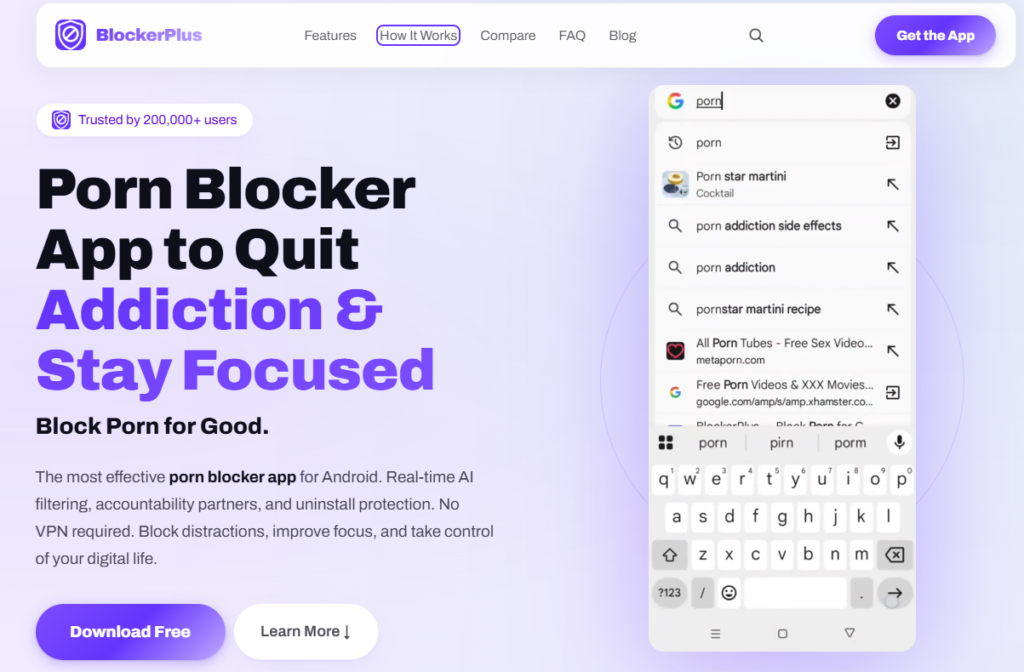
BlockerPlus helps users block adult content, distracting websites, and unsafe apps while improving focus and healthier browsing habits. It combines website filtering and app blocking in one platform.
The app is useful for students, parents, and users trying to improve digital discipline and reduce online distractions.
Pricing
- Free version available
- Premium features available
Features
- Adult website blocking
- App restrictions
- Safe browsing support
- Focus mode
- Screen time controls
- Website filtering
- Password protection
2. BlockSite
BlockSite is a popular website blocker app that helps users block adult websites, social media platforms, and distracting content across devices.
It is commonly used by students and professionals who want stronger internet control and better productivity.
Pricing
- Free plan available
- Premium plan available
Features
- Website blocking
- App blocking
- Focus mode
- Scheduling tools
- Keyword filtering
- Password protection
3. Qustodio
Qustodio is one of the most widely used parental control Android apps for families and children. It helps parents monitor internet activity and block inappropriate content.
The platform provides strong family safety features and detailed activity monitoring tools.
Pricing
- Free plan available
- Premium plans available
Features
- Website filtering
- Screen time management
- App monitoring
- Activity reports
- Device supervision
- Location tracking
4. Safe Surfer
Safe Surfer focuses on DNS based filtering and safer internet browsing across Android and desktop devices. It helps block harmful websites and unsafe search results.
The app is suitable for families and users looking for network level website filtering.
Pricing
- Free version available
- Paid plans available
Features
- DNS filtering
- Adult website blocking
- Malware protection
- Safe search enforcement
- Family safe browsing
5. Net Nanny
Net Nanny is a well known internet safety app focused on real time content filtering and parental controls. It helps families block explicit websites and manage internet usage.
The app is recognized for its strong filtering and monitoring tools.
Pricing
- Paid plans available
- Free trial available
Features
- Real time website filtering
- App management
- Screen time controls
- Safe search enforcement
- Usage monitoring
6. Norton Family
Norton Family helps parents monitor online activity and improve internet safety for children and teenagers. It focuses on safe browsing supervision and screen time management.
The platform is supported by Norton’s long standing digital security reputation.
Pricing
- Paid plans available
- Trial available
Features
- Website supervision
- Search monitoring
- Screen time management
- Safe browsing alerts
- Usage tracking
7. FamiSafe
FamiSafe helps families create safer online environments through website filtering, app restrictions, and activity monitoring features.
The app combines parental controls with mobile content filtering and internet safety tools.
Pricing
- Free trial available
- Paid plans available
Features
- Adult content blocking
- App blocking
- Screen time scheduling
- Safe browsing controls
- YouTube monitoring
- Activity reports
8. SPIN Safe Browser
SPIN Safe Browser is designed specifically for safer internet browsing and content filtering. It automatically blocks explicit websites and unsafe search results.
The browser is commonly used by schools, families, and users looking for browser level protection.
Pricing
- Free version available
Features
- Safe browsing browser
- Adult website blocking
- Explicit image filtering
- Safe search filtering
- Safer video search
Best Practices for Safe Android Browsing
Blocking adult content works best when combined with healthy internet habits and multiple layers of protection.
1. Use Multiple Protection Methods
Combine:
- Safe Search
- DNS filtering
- Website blockers
- App restrictions
- Screen time controls
2. Keep Android Devices Updated
Updates improve:
- Browser security
- Device protection
- Internet filtering performance
3. Avoid Unknown Apps
Only install apps from trusted sources such as official app stores.
4. Create Healthy Digital Habits
Encourage:
- Balanced screen usage
- Outdoor activities
- Reading
- Device free time
- Family interaction
5. Monitor Online Activity
Parents should regularly review:
- Browsing history
- Screen time
- Installed apps
- Search activity
Conclusion
Blocking adult content on Android is an important step toward creating safer and healthier internet experiences for both children and adults. Android devices provide several ways to improve online safety through Safe Search, DNS filtering, parental controls, browser restrictions, and mobile content filtering apps.
Using multiple protection methods together usually provides the strongest results. Whether someone wants to improve family safe browsing, reduce distractions, or build healthier digital habits, Android content filter tools can help create safer and more responsible internet usage.
Frequently Asked Questions
1. Can Android content filters work without changing browser settings?
Yes, many Android content filters use DNS filtering or app based protection that works without changing browser settings directly.
2. How often should adult content filters be updated on Android?
Adult content filters should be updated regularly to improve website databases, security protection, and filtering performance.
3. Can blocking adult content improve sleep quality and focus?
Yes, reducing exposure to distracting or explicit content may help improve focus, productivity, mental clarity, and sleep habits.
4. Are Android content blockers useful for teenagers and adults both?
Yes, content blockers are useful for children, teenagers, students, professionals, and adults trying to improve digital discipline and safer browsing.
5. Can content filters block explicit content on social media platforms?
Some advanced parental control apps and website blockers can restrict explicit content on social media platforms, but results may vary between apps.
6. What is the difference between parental controls and content blockers?
Parental controls usually include monitoring, screen time management, and device supervision, while content blockers mainly focus on restricting harmful websites and explicit material.
7. Can Android content filters work on public WiFi networks?
Yes, many Android content filters and DNS filtering systems continue working even when connected to public WiFi networks.
8. Is rooting an Android device required for advanced content blocking?
No, most modern Android porn blocker apps work without rooting the device.
9. Can adult content blockers reduce harmful search suggestions?
Yes, many safe browsing Android tools enforce Safe Search settings that help reduce explicit search suggestions and unsafe recommendations.
10. What should parents do if kids find ways to bypass content filters?
Parents should combine stronger restrictions with open communication, regular monitoring, safe browsing education, and updated parental control settings.

Related Articles



BlockerPlus blocks content, tracks your streak, and keeps you accountable, free on Android & iOS.
Download Free